
Somewhere on your campus right now, a nursing student is pasting patient case notes into ChatGPT to build a study guide. A grad student is uploading a half-finished thesis chapter to get feedback before a meeting with their advisor. A pre-med student is dropping lecture slides full of exam content into a chatbot to generate practice questions. None of them are doing anything malicious. Most of them have never been told there's a problem with any of this.
But there is a problem, and it's bigger than most students realize.
The Quiet Risk of Studying With Cloud AI
Every time you send a prompt to a cloud-based AI tool, that data leaves your device and lands on someone else's server. For casual use, that's a fair trade for convenience. But study materials are rarely as generic as they seem. Lecture notes might reference other students by name. Research data might include health information that falls under HIPAA. Thesis drafts might contain unpublished findings you don't want indexed anywhere. Graded assignments and personal academic records can fall under FERPA, the U.S. law protecting the privacy of student education records, and universities are explicit that FERPA-protected material shouldn't be sent to consumer AI accounts without a formal agreement in place, because free and personal-tier chatbot accounts don't meet the legal bar for handling that kind of data.
Most students aren't thinking about any of this while they're cramming for finals at 1am. That's exactly the point. The convenience of cloud AI makes it easy to paste first and think later, and by the time anyone considers the privacy implications, the data has already left their hands.
Local AI removes that risk at the source. When a model runs entirely on your own laptop or phone, your notes, your research, and your half-formed exam anxiety never touch a server you don't control. Nothing to leak, nothing logged, nothing sitting in some company's training pipeline. You get the same kind of study help, minus the exposure.
What "Local AI" Actually Means
Running AI locally means the language model itself lives on your device (or a device you own, like a home desktop) instead of a company's cloud infrastructure. You download the model once, and from that point forward it runs using your own computer's processing power. No internet connection required after setup, no account, no data leaving your network.
The tools that make this realistic for a student in 2026 have gotten remarkably approachable. You no longer need to touch a terminal or debug configuration files to get a model running:
- LM Studio gives you a polished, visual interface for downloading and chatting with models, and it checks whether your hardware can actually handle a model before you download it, which saves a lot of wasted time and disk space.
- Ollama is the developer-favorite option: install it, run one command, and you have a working local AI server. It's become the closest thing to a standard for local model deployment.
- Jan and GPT4All are built privacy-first from the ground up, with zero telemetry and the option to point a model at your own files so you can query your notes and PDFs directly, entirely offline.
None of these cost anything to use, and none of them require handing your study materials to anyone.
What This Actually Looks Like for Studying
Local AI isn't just a private version of ChatGPT sitting in the background. Once it's running, here's where it genuinely helps with coursework:
Turning lecture notes into study material. Feed a local model your raw, messy lecture notes and ask it to generate a structured summary, a set of flashcards, or a practice quiz. Because the model is running on your machine, this works even with notes that reference classmates, professors, or unpublished coursework you'd rather not upload anywhere.
Working through problem sets. Math, physics, and programming problems benefit enormously from a model that can walk through reasoning step by step. Several current open models are specifically strong at this kind of structured, methodical explanation, and running them locally means you can paste in an entire problem set, including ones your professor explicitly asked you not to share externally, without worry.
Research and thesis work. This is where the privacy angle matters most. If your research involves any kind of sensitive data (patient information, survey responses tied to real people, unpublished findings), a local model lets you get AI assistance with analysis, phrasing, or literature review without that data ever leaving your device. Graduate students juggling IRB protocols and data governance rules get a tool that doesn't add a new compliance headache to worry about.
Document and PDF chat. Tools with local document search let you point a model directly at a folder of PDFs, textbook chapters, or your own notes and ask it questions grounded in that material. It's the same idea as the AI-powered study apps that have become popular, just without your reading material and questions being logged somewhere.
Late-night, no-signal studying. Once the model is downloaded, it works entirely offline. No dorm Wi-Fi outage, no data plan limits, no waiting on a server that's slow because it's finals week for a few million other students at once.
Getting Set Up Without Expensive Hardware
You don't need a gaming rig to make this work. A model in the 7B-8B parameter range (think Llama 3.1 8B or Mistral 7B) runs comfortably on a laptop with 16GB of RAM, and handles summarization, Q&A, and general study help well. If your laptop has a discrete GPU with 8GB or more of VRAM, even better, since it'll respond noticeably faster.
You don't need the biggest, most capable model available to get real value here. A well-chosen 7B or 13B model running smoothly on modest hardware will get you through 90% of everyday coursework help. Save the appetite for bigger models for when you actually hit a wall.
Taking It With You
Here's the part that trips a lot of students up when they first set up local AI: the model runs on your laptop or desktop, but studying doesn't happen chained to a desk. Between classes, in the library, or lying in bed reviewing flashcards, you want that AI assistant in your pocket, not just on your laptop screen.
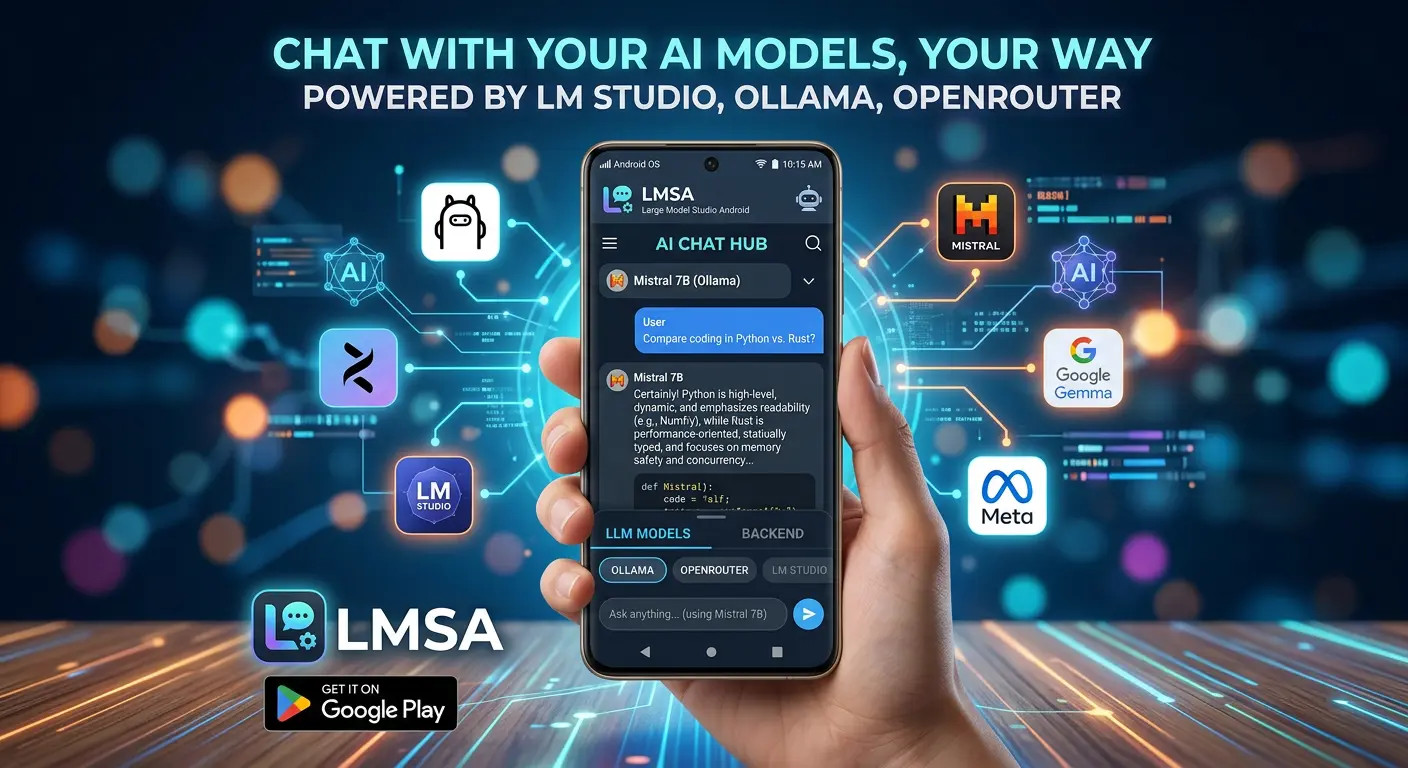
This is where LMSA comes in. Once you've got a model running through LM Studio or Ollama on your computer, LMSA connects to it from your Android phone over the same Wi-Fi network, so you can keep studying from wherever you actually are. Everything still runs on hardware you control; your phone is just the window into it. If you're off campus Wi-Fi, connecting through Tailscale extends that same private connection to anywhere you have a signal, so your local AI setup isn't tied to one room or one network.
The Bigger Picture
Universities are still catching up to what generative AI means for student privacy, and the rules around what can and can't be uploaded to consumer AI tools are only getting stricter, not looser. Local AI sidesteps that entire conversation. There's no terms of service to parse, no account that might get subpoenaed, no server logging your study habits or your half-baked thesis arguments. It's just a tool that helps you learn, running quietly on hardware that's already yours.
For students juggling sensitive research, protective instructors, strict data policies, or just a healthy instinct not to hand their academic life over to a cloud server, local AI offers the same study help without the same exposure. And with the right setup, it's every bit as convenient as the cloud tools it replaces, without asking you to trade your privacy to get there.